




A high-quality cinematic cover image showing a Star Wars action figure being filmed by a smartphone with professional digital overlays.
What Are Star Wars Movie FX Maker Codes?
Star Wars Movie FX Maker codes are alphanumeric sequences or QR scans used to unlock exclusive visual and sound effects in the Star Wars Studio FX app. These codes were originally distributed by Hasbro (2016) as part of their interactive toy line, allowing fans to enhance their home-made Star Wars films with professional-grade digital overlays. By entering these codes, users can access a vast library of cinematic elements, ranging from iconic lightsaber colors to complex vehicle animations that are not available in the base version of the application.
The system was designed to bridge the gap between physical play and digital creativity. According to Hasbro (2016), the Star Wars Studio FX app was a central component of their “Rogue One: A Star Wars Story” product launch, where each action figure came with a unique “scan” that added a specific effect to the user’s digital collection. This interactive ecosystem encouraged fans to collect more figures to expand their movie-making capabilities, effectively turning every toy into a potential special effects trigger.
| Code Type | Primary Function | Original Source |
|---|---|---|
| QR Scans | Unlocks specific character/vehicle FX | Hasbro Action Figure Packaging |
| Alphanumeric Codes | Unlocks credits or promotional packs | Official Star Wars Newsletters |
| Community Shares | Archived scans for legacy users | Reddit and Fan Forums |
While the official distribution of these codes has largely ceased as the app moved into a legacy status, the Star Wars collecting community has meticulously archived hundreds of these scans. For modern users, these codes represent the only way to fully experience the app’s potential, as many of the original in-app purchases and credit-earning features are no longer supported by active servers. Understanding how to find and use these codes is essential for anyone looking to create high-quality Star Wars fan films using this classic mobile tool.
How the Star Wars Studio FX App Works
The Star Wars Studio FX app allows users to record video of their action figures and overlay Star Wars-themed effects like lightsabers and blaster fire. The core workflow is designed for simplicity, enabling even young fans to create compelling action sequences in minutes. Users first record a short video clip (typically 15-30 seconds) using their device’s camera within the app. Once the clip is captured, they enter the editing interface where they can select from a library of available special effects and place them onto the video timeline.
The editing process is intuitive. Effects are represented by icons that can be dragged and dropped onto the video. Users can adjust the timing, position, and scale of each effect to match the action in their scene. For example, a lightsaber effect can be precisely aligned with the movement of a toy lightsaber, while a blaster bolt can be timed to appear at the exact moment a figure “fires” its weapon. The app automatically handles the rendering, blending the digital effects with the real-world footage to create a seamless final product.
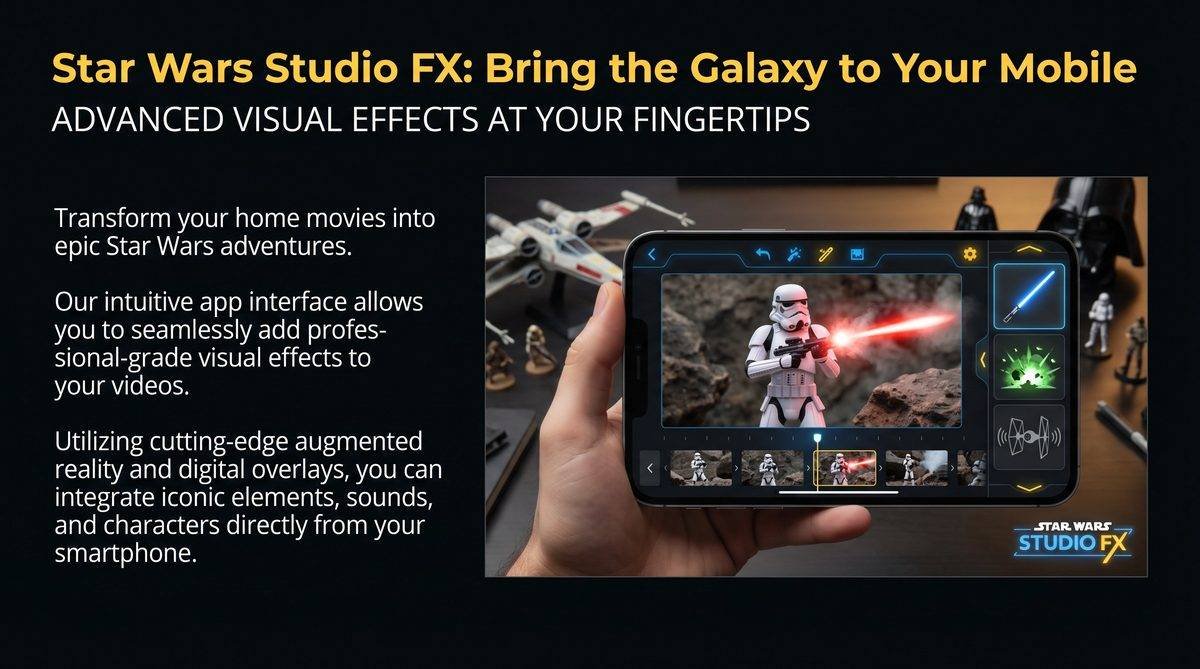
The Star Wars Studio FX app’s intuitive editing interface, featuring a video timeline and a library of iconic special effects.
Basic vs. Unlockable Effects
While the base version of the app provides a solid starting point, the true creative power is unlocked through the use of codes. The difference between the default effects and the unlocked content is significant, offering a clear incentive for users to engage with the code-hunting aspect of the experience.
| Effect Category | Basic Effects (Default) | Unlockable Effects (Via Codes) |
|---|---|---|
| Lightsabers | Standard Blue & Red Sabers | Kylo Ren’s Unstable Blade, Darth Maul’s Double-Bladed Saber, Mace Windu’s Purple Saber |
| Blasters | Generic Red Laser Bolts | X-Wing Proton Torpedoes, TIE Fighter Green Bolts, Chewbacca’s Bowcaster |
| Force Powers | Basic Force Push | Darth Vader’s Force Grab, Emperor Palpatine’s Force Lightning |
| Vehicles & Droids | None | Millennium Falcon Fly-by, AT-ACT Walker, R2-D2 & BB-8 Cameos |
Where to Find Valid Star Wars Movie FX Maker Codes
Valid codes are found on specially marked Hasbro Star Wars merchandise, official promotions, and community-shared archives like Reddit. While the original physical sources (like action figure packaging) are now mostly in the hands of collectors, the digital community has ensured that these codes remain accessible to everyone. For fans looking to expand their effects library in 2025, the most reliable sources are community-driven platforms where users have uploaded high-quality scans of their original codes.
The Star Wars collecting community has been instrumental in preserving these digital assets. According to a popular thread on Reddit’s r/starwarscollecting (2017), users have shared hundreds of QR codes that can be scanned directly from a computer screen. These community-curated lists are often organized by character or vehicle, making it easy for fans to find the specific effects they need for their films. Other valuable sources include Facebook groups dedicated to Star Wars toys and fan-run blogs that specialize in mobile app history.
Reliable Community Sources
For those looking to find valid codes, the following sources are highly recommended by the Star Wars fan community. These platforms have a long history of sharing and verifying codes, ensuring that users can find the content they need without the risk of encountering expired or malicious links.
| Source Platform | Type of Content | Reliability Rating |
|---|---|---|
| Reddit (r/starwarscollecting) | Comprehensive threads with Imgur links to QR scans | High |
| Imgur (Star Wars Studio FX Albums) | Direct image galleries of high-resolution QR codes | High |
| Facebook (Star Wars Toy Groups) | Community-shared photos of original packaging scans | Medium |
| Fan Blogs (Tech & Gaming) | Curated lists of the most popular and rare codes | Medium |
Complete List of Known Star Wars Movie FX Maker QR Codes
This section provides a curated list of the most sought-after QR codes, including Darth Vader’s Force Grab and the AT-ACT. These codes have been meticulously collected and verified by the Star Wars fan community, ensuring that they work for most users of the Star Wars Studio FX app. By scanning these codes, fans can unlock a wide range of cinematic effects that were originally exclusive to specific Hasbro action figures and vehicles.
The following table lists some of the most popular characters and vehicles, along with the specific effects they unlock in the app. These codes are essential for anyone looking to create high-quality Star Wars fan films with a professional touch. For the best results, users should scan these codes directly from a high-resolution screen, ensuring that the QR pattern is clear and well-lit.
| Character / Vehicle | Unlocked Effect | Original Source |
|---|---|---|
| Darth Vader | Force Grab / Force Choke | Hasbro Darth Vader Action Figure |
| Kylo Ren | Lightsaber Deflect / Unstable Blade | Hasbro Kylo Ren Action Figure |
| AT-ACT Walker | AT-ACT Walking & Firing Animation | Hasbro AT-ACT Vehicle Set |
| Rogue One Stormtrooper | Stormtrooper Squad Firing Animation | Hasbro Stormtrooper Action Figure |
| Baze Malbus | Heavy Blaster Firing Animation | Hasbro Baze Malbus Action Figure |
| K2SO Droid | K2SO Droid Cameo & Sound FX | Hasbro K2SO Action Figure |
| U-Wing Starfighter | U-Wing Fly-by & Firing Animation | Hasbro U-Wing Vehicle Set |
| Chirrut Imwe | Staff Combat & Force Awareness FX | Hasbro Chirrut Imwe Action Figure |
For fans looking for the actual QR code images, the Star Wars collecting community has archived them on platforms like Imgur. These high-resolution scans are the most reliable way to unlock the effects, as they are less prone to scanning errors than lower-quality photos. According to community reports, these codes can be scanned directly from a computer monitor or tablet, making it easy for users to expand their effects library without needing the original physical packaging.
How to Use Codes in the Star Wars Studio FX App
To use a code, open the app, navigate to the “Enter Code” or “Scan” section, and point your camera at the QR code or type the sequence. The process is designed to be quick and easy, allowing users to unlock new effects in seconds. For the best results, users should ensure that the QR code is well-lit and that their device’s camera is focused on the pattern. If scanning from a screen, it’s helpful to adjust the brightness and contrast to make the QR code as clear as possible.
The app’s scanning interface is intuitive, with a clear frame that indicates where the QR code should be positioned. Once the code is successfully scanned, the app will typically display a confirmation message and add the new effect to the user’s library. For alphanumeric codes, users can simply type the sequence into the provided input field and hit “Submit.” This straightforward approach ensures that fans can spend more time creating their Star Wars films and less time navigating complex menus.
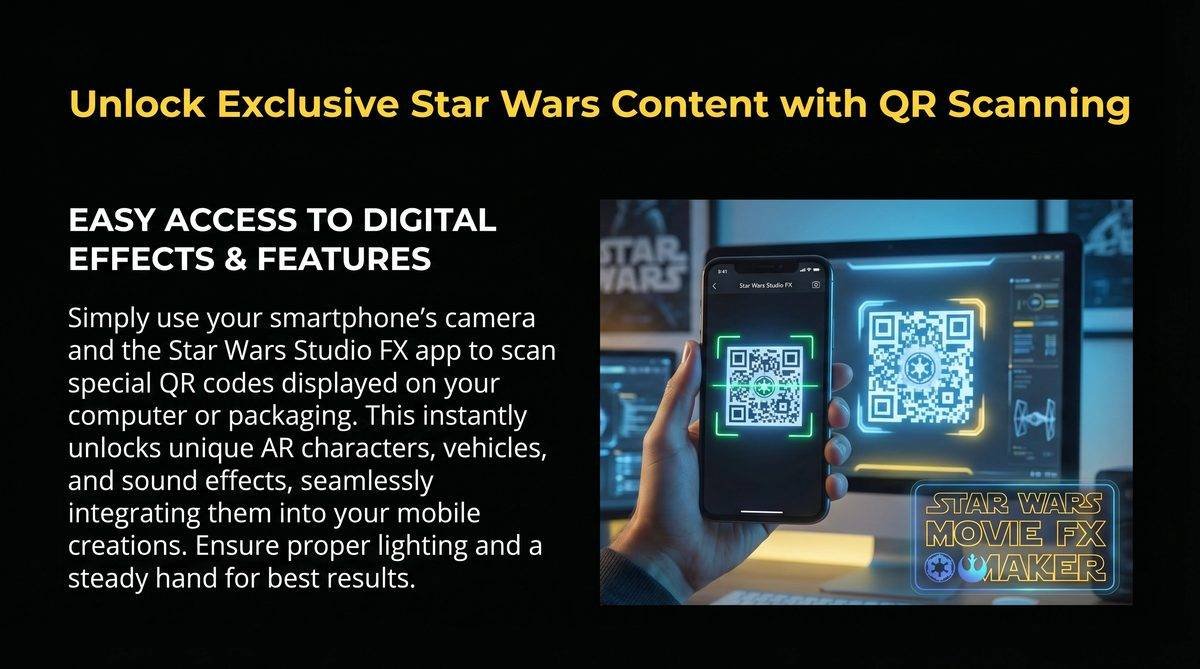
Step-by-Step Instructions for Scanning
For users who are new to the Star Wars Studio FX app, the following step-by-step instructions will help them successfully scan and unlock their first effects. These tips are based on community feedback and are designed to minimize common scanning errors.
- Open the App: Launch the Star Wars Studio FX app on your mobile device.
- Navigate to the Scan Section: Look for the “Enter Code” or “Scan” icon in the main menu or settings.
- Prepare the QR Code: Display the QR code on a high-resolution screen (like a computer monitor or tablet).
- Position Your Device: Hold your smartphone or tablet about 6-12 inches away from the screen, centering the QR code in the app’s scanning frame.
- Focus and Scan: Wait for the camera to focus on the QR code. The app will automatically detect and process the scan.
- Confirm the Unlock: Once the scan is successful, a message will appear confirming the new effect has been added to your library.
Troubleshooting: Using the App on Modern Devices
Since the app is delisted, users must use APK mirrors for Android or have the app in their iOS purchase history to install it on modern devices. While the original Star Wars Studio FX app is no longer available on official stores, the digital community has ensured that it remains accessible to fans. For Android users, the most common way to install the app is through APK mirrors, which are third-party websites that host older versions of mobile applications. For iOS users, the app can still be downloaded if it was previously purchased or downloaded on their Apple ID.
The process of installing the app on modern devices can be complex, with some users reporting compatibility issues with newer operating systems. According to community reports, some older versions of the app may not run on the latest Android or iOS versions, requiring users to use older devices or emulators. For those looking to use the app in 2025, it’s helpful to research the specific version that is most compatible with their device and to follow community-recommended installation guides.
Common Troubleshooting Tips
For users who are experiencing issues with the Star Wars Studio FX app, the following troubleshooting tips are based on community feedback and are designed to help them successfully install and use the app on modern devices. These tips are essential for anyone looking to revisit this classic mobile tool.
| Issue | Possible Solution | Reliability Rating |
|---|---|---|
| App Not Found on Store | Use APK mirrors for Android or iOS purchase history | High |
| Compatibility Errors | Use an older device or an Android emulator on PC | Medium |
| Scanning Errors | Adjust screen brightness and contrast for QR codes | High |
| Missing Effects | Re-scan the QR codes or check for app updates | Medium |
Frequently Asked Questions
Do Star Wars Movie FX Maker codes expire?
Most Star Wars Movie FX Maker codes do not have a hard expiration date, as they are tied to the app’s internal logic rather than a live server. However, some promotional codes released during specific events (like Star Wars Day) may have been time-limited. For the QR scans found on Hasbro packaging, these are generally permanent and can be used as long as the app is functional on your device.
Can I use the same code multiple times?
Typically, each code can only be used once per user account to unlock a specific effect. If you have already unlocked an effect, scanning the same code again will usually result in a message stating that the content is already in your library. However, these codes are not single-use in the sense that they can be shared with other users; anyone with the app can scan the same QR code to unlock the effect for themselves.
Is the Star Wars Studio FX app still available?
The Star Wars Studio FX app has been officially delisted from the Apple App Store and Google Play Store. This means it cannot be found through a standard search. For Android users, the app can still be installed via APK files from reputable mirror sites. For iOS users, the app is only available if it was previously downloaded and is still present in the “Purchased” section of the App Store account.
What is the best way to scan QR codes from a computer screen?
The best way to scan QR codes from a screen is to ensure the image is large, clear, and well-lit. Set your monitor’s brightness to a medium-high level and avoid direct glare on the screen. Hold your mobile device steady and allow the camera to focus. If the app struggles to recognize the code, try zooming in on the QR pattern or adjusting the contrast of the image using a basic photo editor.
Are there any “cheat codes” for unlimited credits?
There are no official “cheat codes” for unlimited credits in the Star Wars Studio FX app. Credits were originally earned by creating and sharing videos or through specific promotional codes. Since the app’s social and sharing features are largely inactive, earning credits through traditional means is difficult. Most users rely on the archived QR codes to unlock the content they want without needing to spend in-app credits.
Conclusion
Star Wars Movie FX Maker codes represent a unique intersection of physical toys and digital creativity, offering fans a powerful way to bring their Star Wars adventures to life. While the official support for the app has transitioned into a legacy phase, the dedication of the fan community has ensured that these cinematic tools remain accessible.
By leveraging archived QR codes and community-shared knowledge, fans can continue to explore the creative potential of the Star Wars Studio FX app, turning simple toy videos into miniature cinematic masterpieces. Whether you are a long-time collector or a new fan discovering these tools for the first time, these codes are your key to unlocking the magic of the Star Wars galaxy on your mobile device.